File Based Routing
Akan uses file-based routing. You create files under page/, and the folder structure becomes the page URL. Every route also sits under a locale segment that Akan injects for you, so the same file serves every language you ship.
From folder to URL
page/(user)/project/[projectId]/_index.tsx
(user) adds no segment
Akan injects the locale
/:lang/project/:projectId
File-based: Folders and files decide the URL shape.
Locale-aware: Akan injects the locale segment automatically and hands it to every route as lang.
Explicit files: Use page and layout files instead of hidden magic.
File Convention
A route file is a page, a layout, or an overrides manifest. Everything under page/ must be a .tsx route module — no helper file, no logic file, no filename starting with an uppercase letter.
page/
FileDescription
folder/_index.tsx
The page for the folder it sits in: project/_index.tsx serves /:lang/project.
folder/_layout.tsx
Wraps every page below its folder. The root one is a rootLayout() chain.
folder/_overrides.tsx
A logic-free manifest of UI overrides for the subtree: one export default override({ … }).
path.tsx
A segment as one file: project.tsx serves /:lang/project. Never an uppercase first letter.
[param].tsx
A dynamic segment as one file: [projectId].tsx serves /:lang/:projectId.
(group)/
Organizes files without adding a URL segment, such as (user) or (public).
[lang]/
Never written: Akan injects the locale.


_index.tsx, _layout.tsx and _overrides.tsx are the only reserved names an underscore may introduce.
Page File Shape
A page file exports a single page() chain and nothing else. Each route setting is one stage of the chain: .param() and .search() declare the values the page reads, .config() tunes the route, .head() and .loading() set the head tags and the loading fallback, and .render() returns the component. The render callback receives the declared values flat, already typed.
page/(user)/project/[projectId]/_index.tsx
Static head example


Heads are not merged — the nearest .head() wins, so restate what you still need (such as the favicon link). Give <title> one string child, a template literal when it includes a value, and skip the hreflang alternates since Akan adds one per locale. A page() chain must be the module's only export, and the names in .param() and .prompt() are string literals.
Chain Stages
There are fifteen stages, and the three chains share most of them. page() adds .prompt(); layout() adds .notFound() and .error(); rootLayout() is a layout that also carries the app-wide stages. The three columns mark which builder each stage is legal on.
Stage
page()
7 stages
layout()
8 stages
rootLayout()
14 stages
Every chain
.param
✓
✓
✓
Declares one [x] path segment, typed; a value the type refuses answers not-found.
.search
✓
✓
✓
An optional query key; [String] reads a list, and a value the type refuses is dropped.
.config
✓
✓
✓
Client frame behaviour such as transition and devOnly; child pages inherit a layout's.
.head
✓
✓
✓
The route's <head> as JSX (title, meta, link), or a function of the args that returns it.
.loading
✓
✓
✓
Fallback UI while the route loads; every .search() value reads undefined inside it.
page() only
.prompt
✓
Publishes the screen as an MCP prompt: .param() args are required, .search() optional.
layout() and rootLayout()
.notFound
✓
✓
404 UI rendered inside the layout when a child route is missing; takes raw route props.
.error
✓
✓
SSR error UI under the nearest layout when a child throws; raw props, error and digest.
rootLayout() only
.fonts
✓
Registers app-wide fonts; optimize subsets a font and serves it from /_akan/fonts.
.manifest
✓
The web app manifest (name, startUrl, icons…) for installable, PWA-like behaviour.
.theme
✓
The document's default theme (dark, light, system); an empty string is honoured.
.reconnect
✓
The connection-lost overlay only, not reconnection; off unless you set it.
.wsConnect
✓
Connects the WebSocket on load (default true); false waits for fetch.instance.connect().
.layoutStyle
✓
The outer page container style, web or mobile. Use mobile for app-like shells.
Ends the chain
.render
✓
✓
✓
The component, ending the chain; gets lang, the declared args, and children on a layout.
✓Available on this chainNot on this chain
On rootLayout(), the app-wide stages must come before .param() and .search(). Those two stages return a layout type rather than the chain's own type, so .theme() and its siblings are gone from what follows them — rootLayout().theme("dark").param("orgId", ID) compiles and the reverse order does not.
lang is never declared. Every route sits under the locale, and the value reaches every stage as lang. A page must declare every [x] segment of its path; a layout may leave some undeclared.
Layout File Shape
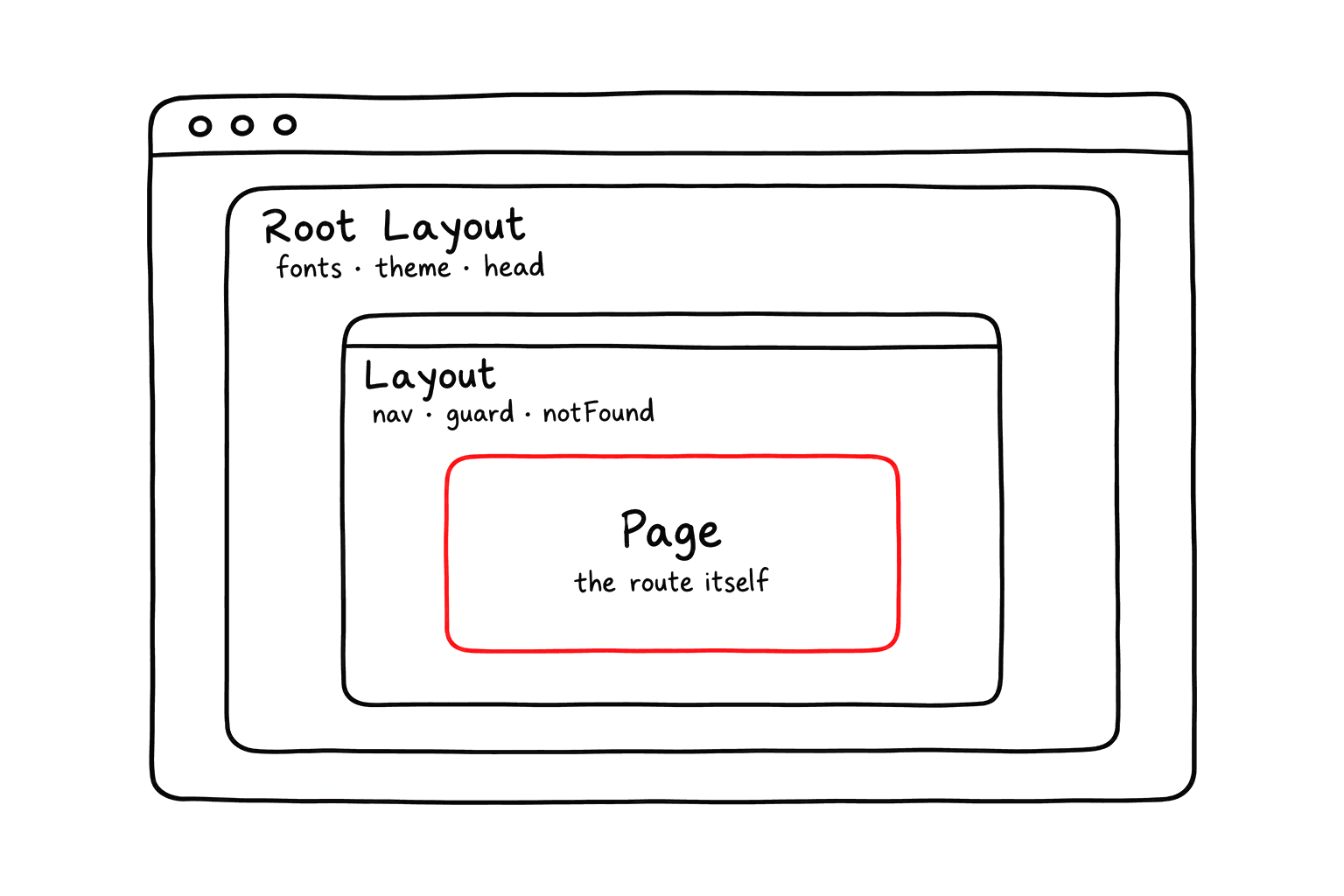
A layout file wraps child pages. Use it for shared headers, tabs, sidebars, guards, or page-level shells. Its own .head() covers child pages that declare none, and its .notFound() and .error() are the fallback for everything below it.
page/(user)/project/[projectId]/_layout.tsx
The .notFound() and .error() stages exist on layout(), not on page(). If a layout declares neither, Akan walks up to the nearest parent layout fallback, then falls back to the framework system page.
Root Layout Stages
The root _layout.tsx of an app, or of a basePath, is a rootLayout() chain. It is still a layout, but it also carries the app-wide stages for fonts, manifest, theme, realtime connection, and mobile-style rendering. The stylesheet import stays the first line of the file.
page/_layout.tsx
Each of these is one row of the Chain Stages table above, and only .fonts(), .manifest(), .theme(), .reconnect(), .wsConnect() and .layoutStyle() are exclusive to this file. Everything else here — .config(), .head(), .loading(), .notFound(), .error(), .render() — is the ordinary layout surface.
Google Analytics
Akan has no analytics stage. Which tags load, in which environment and behind which consent banner are the app's decisions, so a tag is an ordinary client component that the root layout renders. The one below loads gtag.js once for the whole app.
ui/Analytics.tsx
page/_layout.tsx
Search Engines
Every page renders on the server, and a crawler — a search engine, an AI crawler or a link preview — gets it whole, with every section already in place. The two files crawlers look for are served as well.
PathDescription
/robots.txt
Opens public pages to every crawler, AI crawlers included, and closes the API and admin paths.
/sitemap.xml
Lists every static page once per locale; a page with a [param] segment is left out.
/robots.txt
To change either file, put your own
robots.txt or sitemap.xml in public/, and it is served instead. A sitemap that has to list [param] pages can come from an endpoint, as in Serving a fixed path.Base Paths
When an app defines base paths in akan.config.ts, page files must live under one of those base path folders. This keeps multi-service or multi-domain apps explicit.
apps/myapp/akan.config.ts
page/
If base paths are configured, putting a page directly under page/ is invalid. Move it under page/<basePath>/ so Akan can tell which route group owns it.
Library Pages
A library can ship routes from its own page folder. An app opts in with syncPageLibs, and a library route keeps its own path.
apps/myapp/akan.config.ts
library route mapping
Apps with base paths get the library routes under every base path.
Dev Only Routes
.config({ devOnly: true }) keeps a route out of akan build. It still serves under akan start and is still typechecked, but nothing about it reaches production: no bundle, no route manifest entry, no URL.
page/(dev)/playground/_index.tsx
On a _layout file, devOnly removes every route under that directory too, so a whole dev-only section can be marked once. Write it as a literal true or false.